
TheRetroArcade
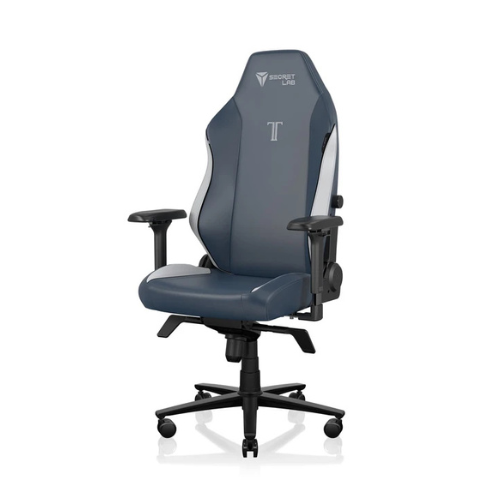
Veteran
Posts: 9,962
Joined: Feb 2026
Joined: Feb 2026
The bug affects multiple versions of Windows 11 and Windows 10.
When you purchase through links on our site, we may earn an affiliate commission. Here’s how it works.
It's not for me to judge what you do with your new rig outside of gaming—I just hope you're taking the necessary precautions, and set up your anti-virus of choice at the first opportunity. Microsoft Defender is better than nothing, except for when it says it's been turned off when it actually hasn't.
Apparently, this is a known issue in Windows 11 and Windows 10. Microsoft details the issue, writing, "Notifications might appear stating that 'Microsoft Defender Antivirus is turned off,' even though the antivirus is functioning correctly and all settings show it as active. These notifications can appear when Windows starts and intermittently afterward."
Worse still, these fibbing notifs can "persist even if notification settings are turned off." But worse than that, the issue can be observed in "any version of Windows or Windows Server with Microsoft Defender Antivirus running with the latest Defender updates."
Before you ask, that is a lot of Windows 11 and Windows 10 users potentially affected. Potentially affected platforms include Windows 11, version 26H1, version 25H2, as well as version 24H2, and range all the way back to ye olde Windows 10 Enterprise LTSC 2016. Microsoft has a full list here of operating systems that can encounter the bug. The company is currently working on a fix, though there's no word yet on when this will be available.
For now, it's annoying at best and kind of anxiety-inducing at worst, though arguably not quite as bad as the Windows 11 update that borked a bunch of multiplayer games last month. That's not a great look considering Microsoft said earlier this year it wanted to make Windows 11 "better."
To be fair, the work hasn't been all back steps; for instance, fresh features like the 'low latency profile' speeding up the OS, and our Jacob reckons recent changes to the Windows 11 Start menu also look promising. Here's hoping Microsoft fixes that Defender notification bug sooner rather than later too.
1. Best gaming chair: Secretlab Titan Evo
2. Best gaming desk: Secretlab Magnus Pro XL
3. Best gaming headset: Razer BlackShark V3
4. Best gaming keyboard: Asus ROG Strix Scope II 96 Wireless
5. Best gaming mouse: Razer Viper V4 Pro
6. Best PC controller: GameSir G7 Pro
7. Best steering wheel: Logitech G Pro Racing Wheel
8. Best microphone: Shure MV6 USB Gaming Microphone
9. Best webcam: Elgato Facecam MK.2
👉Check out our list of guides👈
Keep up to date with the most important stories and the best deals, as picked by the PC Gamer team.
Jess has been writing about games for over ten years, spending a significant chunk of that time working on print publications PLAY and Official PlayStation Magazine. When she’s not investigating all things hardware here, she's either constructing a passionate defence of a 7/10 game, daydreaming about her debut novel, or feeling wistful about the last time she chased some nerds around a field with an oversized foam sword.
You must confirm your public display name before commenting
Please logout and then login again, you will then be prompted to enter your display name.Read more: Full article on www.pcgamer.com
What do you think about this?
When you purchase through links on our site, we may earn an affiliate commission. Here’s how it works.
It's not for me to judge what you do with your new rig outside of gaming—I just hope you're taking the necessary precautions, and set up your anti-virus of choice at the first opportunity. Microsoft Defender is better than nothing, except for when it says it's been turned off when it actually hasn't.
Apparently, this is a known issue in Windows 11 and Windows 10. Microsoft details the issue, writing, "Notifications might appear stating that 'Microsoft Defender Antivirus is turned off,' even though the antivirus is functioning correctly and all settings show it as active. These notifications can appear when Windows starts and intermittently afterward."
Worse still, these fibbing notifs can "persist even if notification settings are turned off." But worse than that, the issue can be observed in "any version of Windows or Windows Server with Microsoft Defender Antivirus running with the latest Defender updates."
Before you ask, that is a lot of Windows 11 and Windows 10 users potentially affected. Potentially affected platforms include Windows 11, version 26H1, version 25H2, as well as version 24H2, and range all the way back to ye olde Windows 10 Enterprise LTSC 2016. Microsoft has a full list here of operating systems that can encounter the bug. The company is currently working on a fix, though there's no word yet on when this will be available.
For now, it's annoying at best and kind of anxiety-inducing at worst, though arguably not quite as bad as the Windows 11 update that borked a bunch of multiplayer games last month. That's not a great look considering Microsoft said earlier this year it wanted to make Windows 11 "better."
To be fair, the work hasn't been all back steps; for instance, fresh features like the 'low latency profile' speeding up the OS, and our Jacob reckons recent changes to the Windows 11 Start menu also look promising. Here's hoping Microsoft fixes that Defender notification bug sooner rather than later too.
1. Best gaming chair: Secretlab Titan Evo
2. Best gaming desk: Secretlab Magnus Pro XL
3. Best gaming headset: Razer BlackShark V3
4. Best gaming keyboard: Asus ROG Strix Scope II 96 Wireless
5. Best gaming mouse: Razer Viper V4 Pro
6. Best PC controller: GameSir G7 Pro
7. Best steering wheel: Logitech G Pro Racing Wheel
8. Best microphone: Shure MV6 USB Gaming Microphone
9. Best webcam: Elgato Facecam MK.2
👉Check out our list of guides👈
Keep up to date with the most important stories and the best deals, as picked by the PC Gamer team.
Jess has been writing about games for over ten years, spending a significant chunk of that time working on print publications PLAY and Official PlayStation Magazine. When she’s not investigating all things hardware here, she's either constructing a passionate defence of a 7/10 game, daydreaming about her debut novel, or feeling wistful about the last time she chased some nerds around a field with an oversized foam sword.
You must confirm your public display name before commenting
Please logout and then login again, you will then be prompted to enter your display name.Read more: Full article on www.pcgamer.com
What do you think about this?